Encrypted self-hosted S3-compatible object storage for sensitive data.
View Source
Explore the source code
on GitHub.
Get Started
Get the ready-to-use
image on Docker Hub.
S3 versus Hidden S3
The same S3 interface, but an entirely different approach to securing data.
Standard S3
Hidden S3
Encryption is optional and may be performed by the S3 service as objects are written to storage.
Encryption is part of the storage architecture and is always performed below the S3 service as files are written to the underlying filesystem.
Object contents are encrypted, while filenames, metadata, IAM data, and internal service data may require separate protection.
Object contents, filenames, file-based metadata, IAM data, and internal service data are all encrypted within the same underlying filesystem.
Encryption and key management depend on the capabilities and configuration of the S3 service.
Encryption and key management operate independently of the S3 service through gocryptfs.
Objects may be split into fragments or stored in implementation-specific formats, without preserving the original files and directory structure.
Within the encrypted filesystem, objects are stored as regular POSIX files, preserving their original directory structure.
Importing existing data typically requires S3-compatible tools or scripts to upload files and recreate their directory structure.
Existing data can be copied directly into the mounted encrypted filesystem, preserving the directory structure without S3-specific import tools.
If the S3 service fails, access to encrypted objects may be lost until the service is restored or an alternative recovery method is available.
In an emergency, the encrypted filesystem can be mounted directly with gocryptfs, allowing access to stored files without the S3 gateway.
The underlying architecture
The storage is designed to withstand even hardware loss or theft. Physical access to storage does not expose encrypted data.
The mechanics of protection
Data remains encrypted at rest and is accessible only while the storage is mounted. When no longer needed, the storage is unmounted again.
Detachable
secret
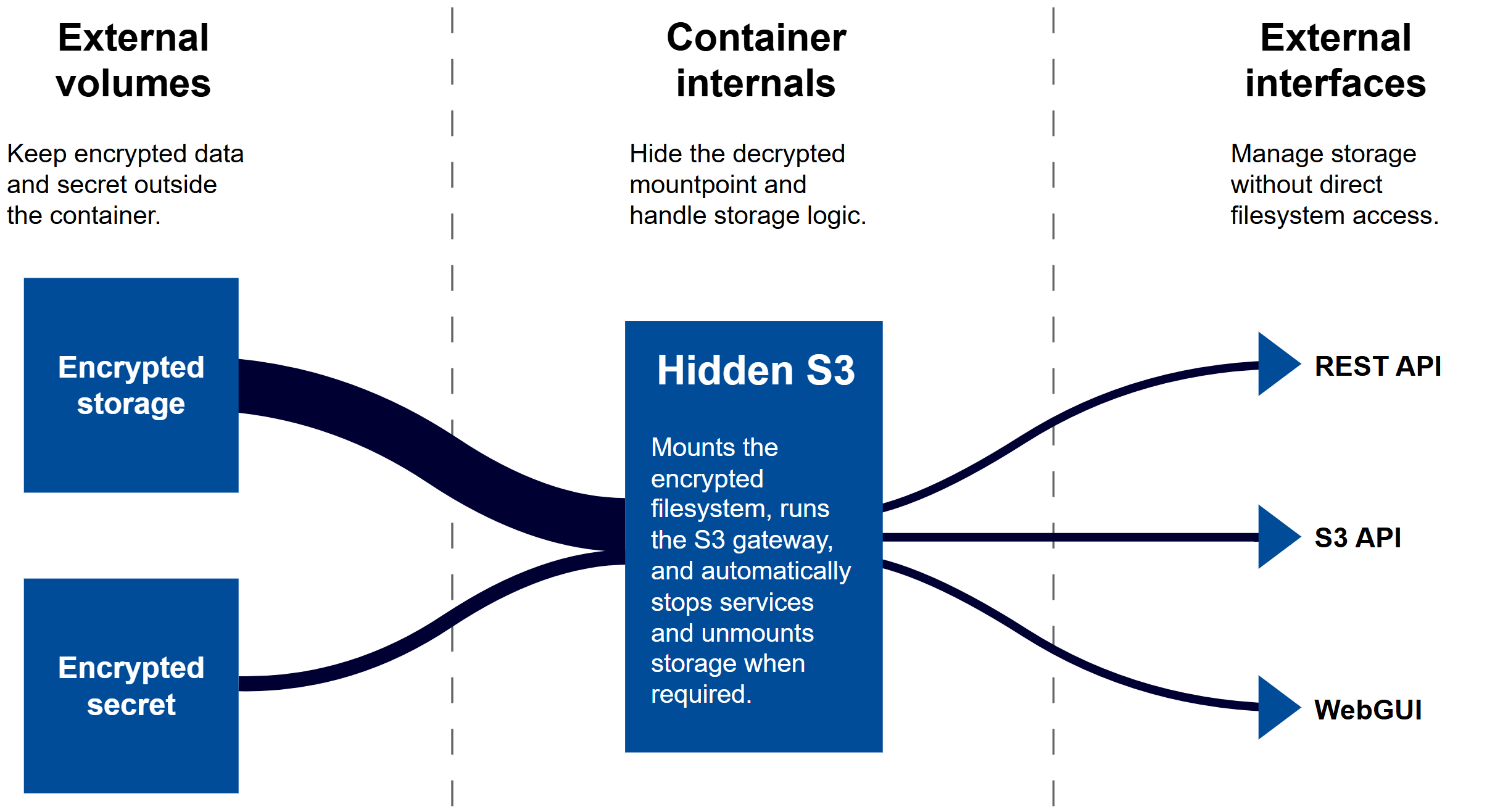
The secret is stored encrypted on a separate volume, which can be located on removable media or a remote host. Without it, the storage is unmounted.
Master
password
The master password protects the secret and is never stored by the app. Its validity is verified each time by attempting to decrypt the secret.
Auto
unmount
The storage supports manual unmounting and automatically unmounts if the secret becomes unavailable or the app restarts.
Data without vendor lock-in
All data is stored across two volumes, allowing the storage to be restored or mounted independently using gocryptfs.
Secrets
volume
The secrets volume stores the encrypted secret and other security-related data. The secret cannot be decrypted without the master password. This volume should be kept separate from the encrypted storage and connected only when needed.
Cipherdir
volume
The cipherdir volume contains encrypted data and can be safely backed up. In an emergency, it can be mounted directly with gocryptfs, without the app, providing access to files through a standard POSIX filesystem.
Everything stays where it belongs
The app operates on privately controlled infrastructure, without AI integrations, automatic data transfers, or background updates.
No AI
exposure
There are no AI integrations or connections to related platforms. Files are never shared with remote AI services for analysis or processing.
No silent
reporting
No telemetry, usage statistics, or diagnostics are shared with the project maintainers. The app does not silently transmit operational information.
No forced
updates
The app does not automatically download or install updates. Upgrades remain under administrator control, without background changes.
Four pillars of storage security
Hidden S3 combines infrastructure independence, transparent encryption, and automatic storage lifecycle management in a single self-hosted solution.
Private
by design
Data stays on privately controlled infrastructure, without relying on external cloud providers or sharing storage with third parties.
Secure
by default
Files, filenames, and IAM data are transparently encrypted, protecting stored data against unauthorized access to the underlying filesystem.
Lock
on danger
The app automatically locks storage and unmounts the decrypted filesystem when the secret becomes unavailable or the container restarts.
Unlock
when safe
Access can be securely restored by remounting the encrypted filesystem with the master password once the secret is available.
The technologies behind the app
The app is based on three open-source technologies that provide S3 object storage, transparent filesystem encryption, and secure lifecycle management.
The S3 API manages objects that are mapped to files through the underlying filesystem backend.
The POSIX backend operates inside a mounted FUSE filesystem, where all data is transparently encrypted.
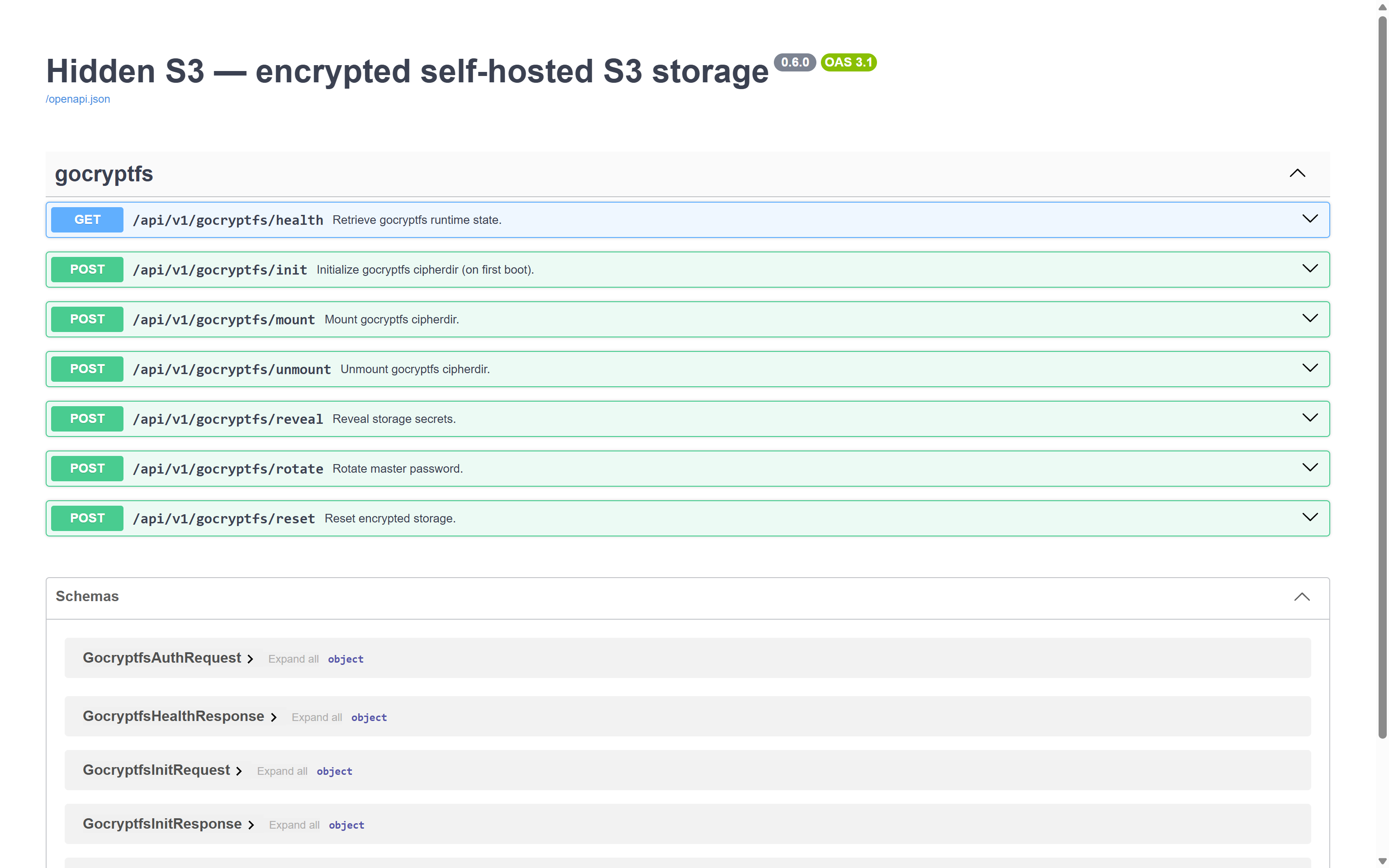
The REST API controls the encrypted filesystem lifecycle, including initialization, mounting, and unmounting.
Control, access, and management
The app exposes three interfaces for working with storage, from automated integrations and command-line operations to everyday management through a web browser.
REST API
Manage encrypted storage through a REST API, including initialization, mounting, unmounting, and health checks.
S3 API
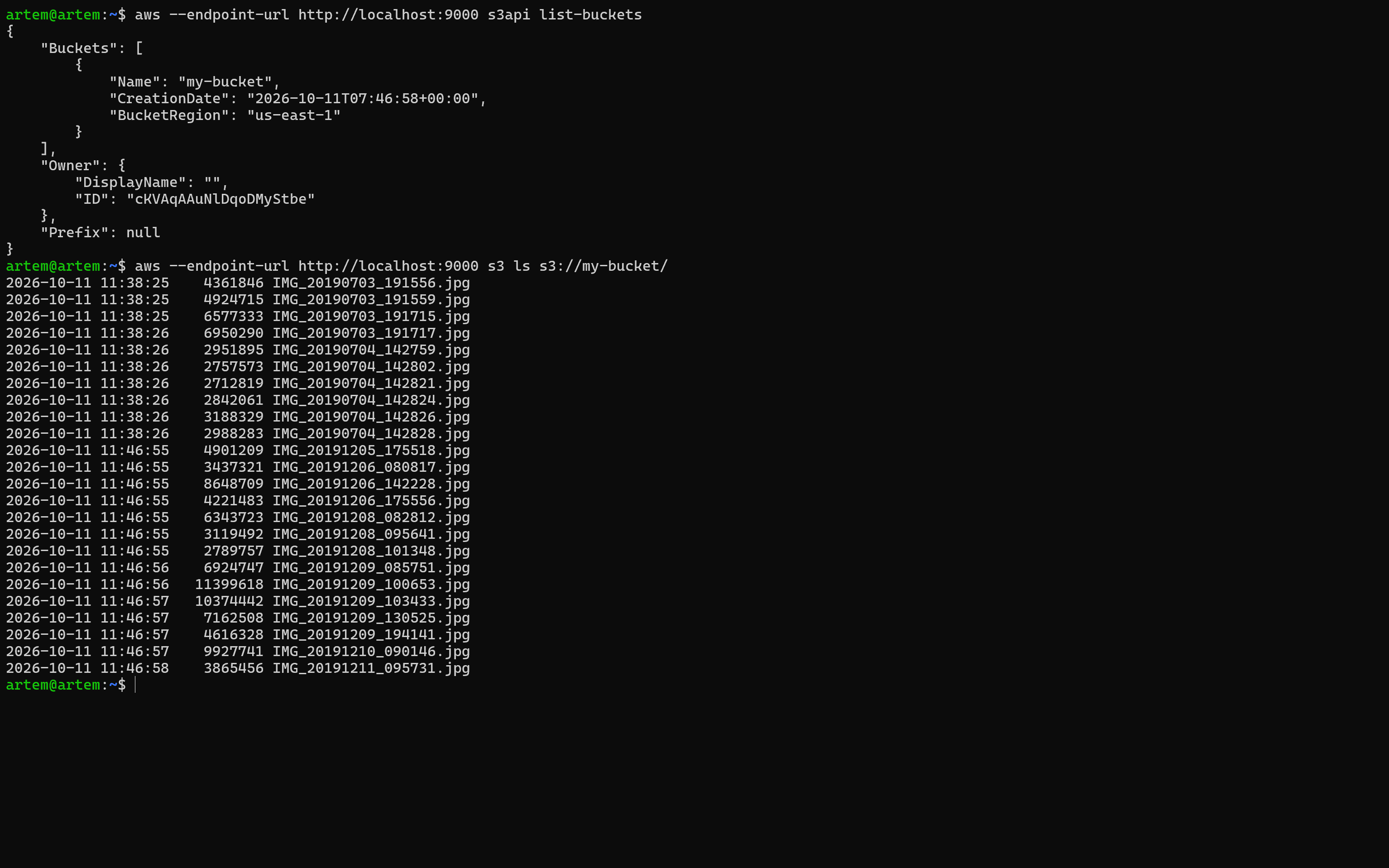
Access buckets and objects using standard S3-compatible clients, with support for multipart uploads and versioning.
WebGUI
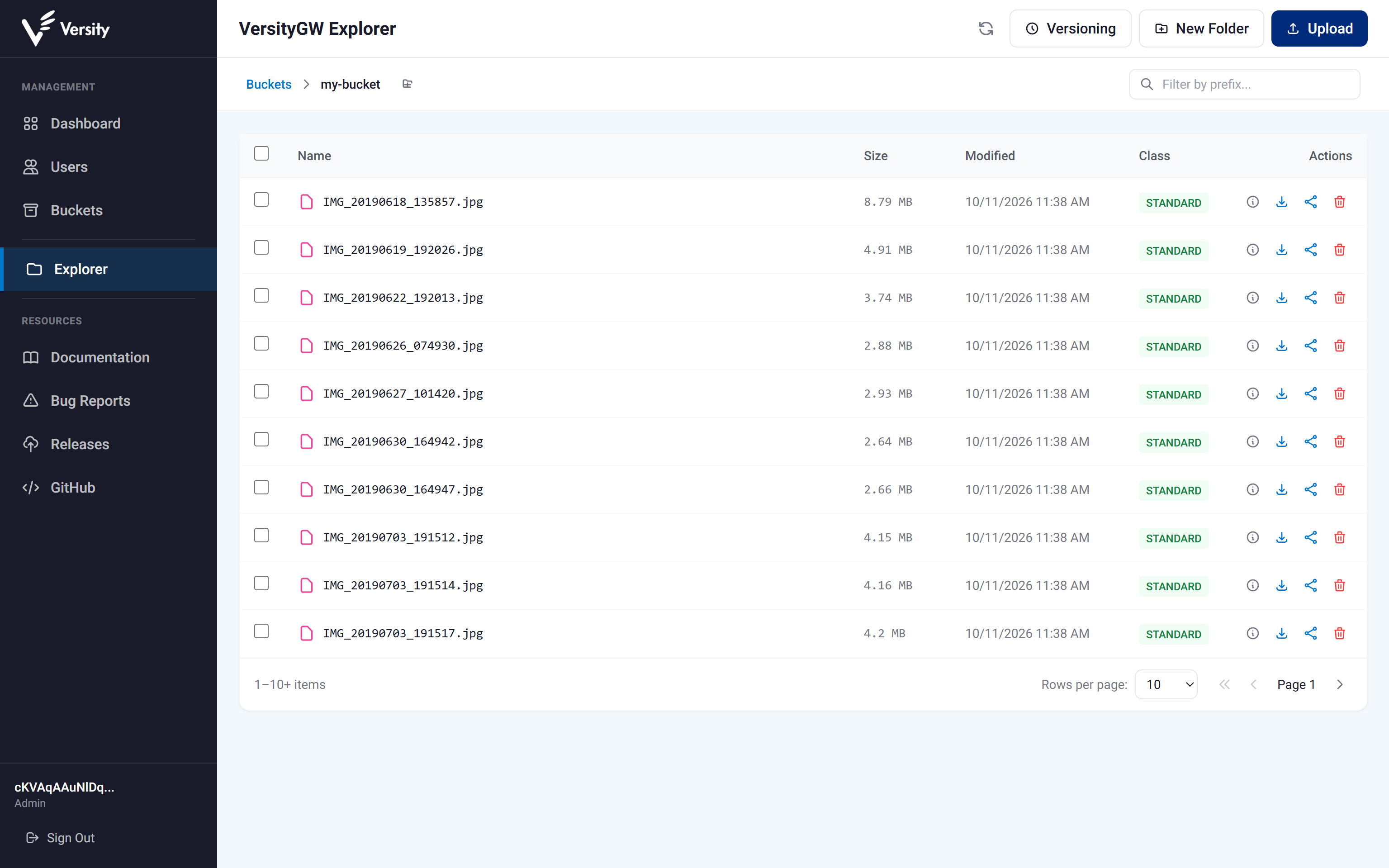
Manage buckets, objects, and user permissions through a browser-based interface without using command-line tools.
Typical usage scenarios
Designed for sensitive data that requires independent encryption, controlled access, and storage on privately managed infrastructure.
Private
vault
Keep personal and confidential files encrypted, with full control over where data is stored and who can access it.
Application
backend
Provide S3-compatible object storage for applications and services without relying on external cloud providers.
Air-gapped
environments
Deploy encrypted storage in isolated or restricted networks where external connectivity is unavailable or prohibited.
Backups
and archives
Store backups, documents, and long-term archives with encryption at rest and controlled access to sensitive data.
Quick links
GitHub — Source code and documentation.
Docker Hub — Pre-built container image.